Piano-ish is a free and open-source piano learning app for anyone who wants a more focused way to practice with a digital piano.
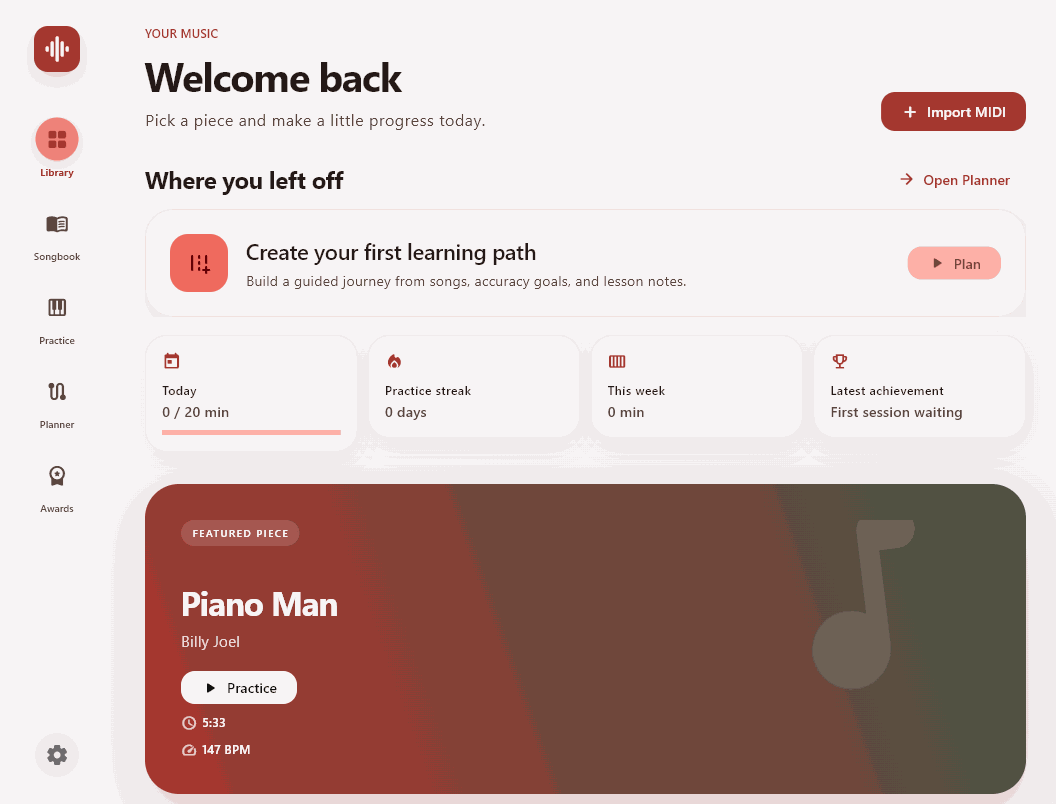
Piano-ish turns Standard MIDI files into interactive practice sessions. Import a piece, connect a MIDI keyboard if you have one, and work through the music with falling notes, traditional staff notation, or a combination of both. Instead of supplying a fixed catalog, Piano-ish is built around your own music library.
Two ways to practice
Not every practice session should work the same way. Piano-ish includes two complementary modes:
- Play along keeps the song moving at its chosen tempo while Piano-ish follows your performance and measures note accuracy.
- Pause & play removes the time pressure. The music waits until you play the required note or chord, making it useful for learning unfamiliar passages one step at a time.
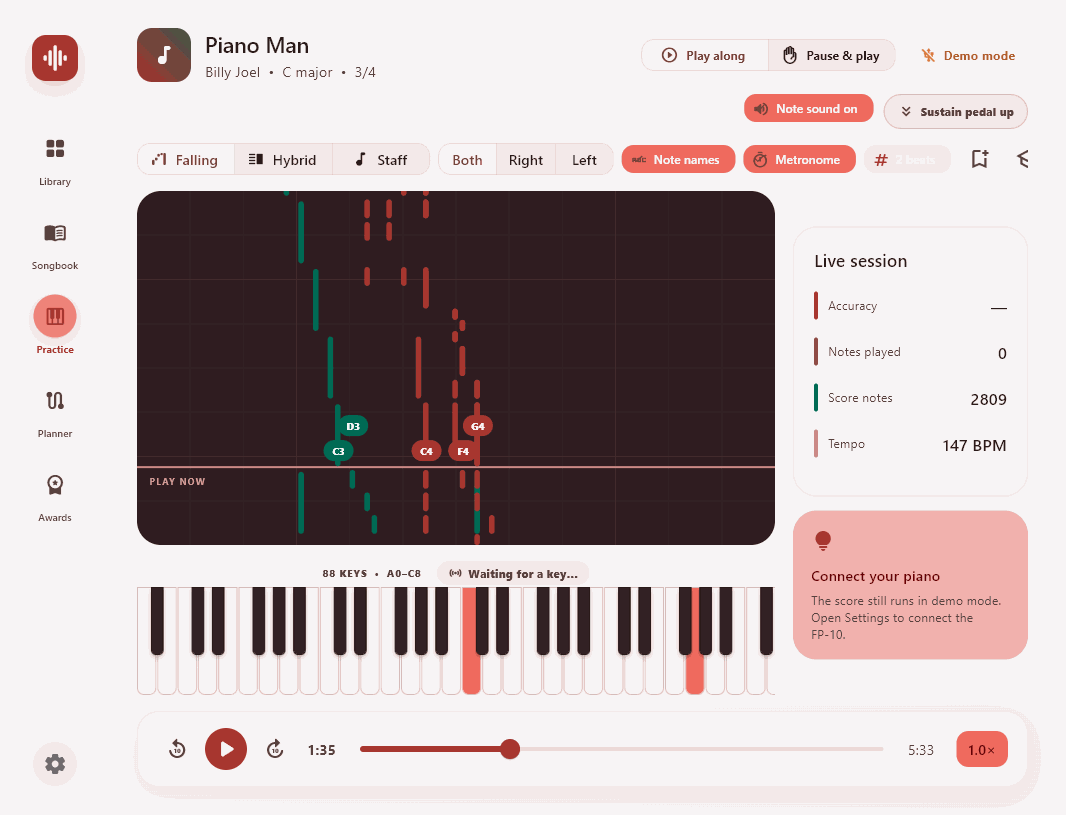
You can practice both hands together or isolate the left or right hand. Tempo controls, a metronome, count-in, note names, section looping, bookmarks, and an automatic tempo ramp help turn a difficult passage into a manageable routine.
Connect your digital piano – or start without one
Piano-ish supports USB and Bluetooth MIDI keyboards, including the Roland FP-10. Played notes and pedal input appear in real time on a full 88-key on-screen keyboard, and low-latency note audition lets supported devices play through the app.
I tested the app using a Roland FP-10 piano. Before using it make sure that the piano’s bluetooth is on and it is not connected to any other devices. Sometimes, you need to click on “fix the connection” in the setting which basicly removes and adds the piano again. Please remember that a physical keyboard is recommended, but it is not required to explore a score, listen to a MIDI file, or use Piano-ish’s visual learning tools.
From MIDI file to readable score
The Songbook keeps imported MIDI files in a persistent, local library and turns them into engraved grand-staff notation. You can switch among falling-note, hybrid, and staff views, edit a song’s metadata, and export the generated sheet music as a PDF.
Piano-ish can optionally look up metadata through MusicBrainz and retrieve matching cover artwork. This lookup is optional; your library, profile, learning paths, and practice history remain stored locally on your device.
Practice with a plan
The Planner lets you build learning paths from songs, accuracy targets, and lesson notes. Piano-ish records completed sessions, practice time, best accuracy, and streaks, then turns that progress into tiered achievements – from the first completed performance to long-term goals at the keyboard.
The experience is customizable too, with light and dark themes, accent colors, and three visual styles ranging from soft minimalism to a tactile instrument-inspired design.
Available now
Piano-ish 1.2 is available for:
- Windows as a setup application
- Android as an APK
- macOS as DMG and ZIP packages (since I do not have a paid apple developer account, you may need to override Gatekeeper via System Settings.)
Piano-ish does not bundle copyrighted songs. Bring MIDI files you are permitted to use, and build a library that matches what you actually want to learn.
Why open source?
Piano practice is personal, and the tools around it should be transparent and adaptable. Piano-ish is released under the MIT License so musicians, teachers, and developers can inspect it, improve it, and shape it for new ways of learning.
This release is a starting point. If you try Piano-ish, feedback on MIDI hardware compatibility, notation, practice workflows, and accessibility is especially welcome.
Download Piano-ish, connect your keyboard, and make a little progress today.